Letter mounting holes
Add, move and remove holes in the preview. Send the prepared letters into nesting as a separate source.


A dedicated workspace for letter mounting holes, tube frames, profile cutting plans and workshop sheets. Review the holes and frame on your own artwork before exporting to CorelDRAW or SVG / DXF.
Import vector letters from CorelDRAW or SVG / DXF.
Set diameter, spacing and offsets, then review and adjust positions.
Configure the tube profile and review frame members alongside the letters.
Send letters and frame to CorelDRAW or SVG / DXF and prepare the profile cutting plan.
Add, move and remove holes in the preview. Send the prepared letters into nesting as a separate source.
Plan profile cuts using stock length, kerf, end trims and remnants. Review lengths and angles before cutting.
Prepare dimensions, numbered members, lengths and cut angles. The cutting list is also available as CSV.
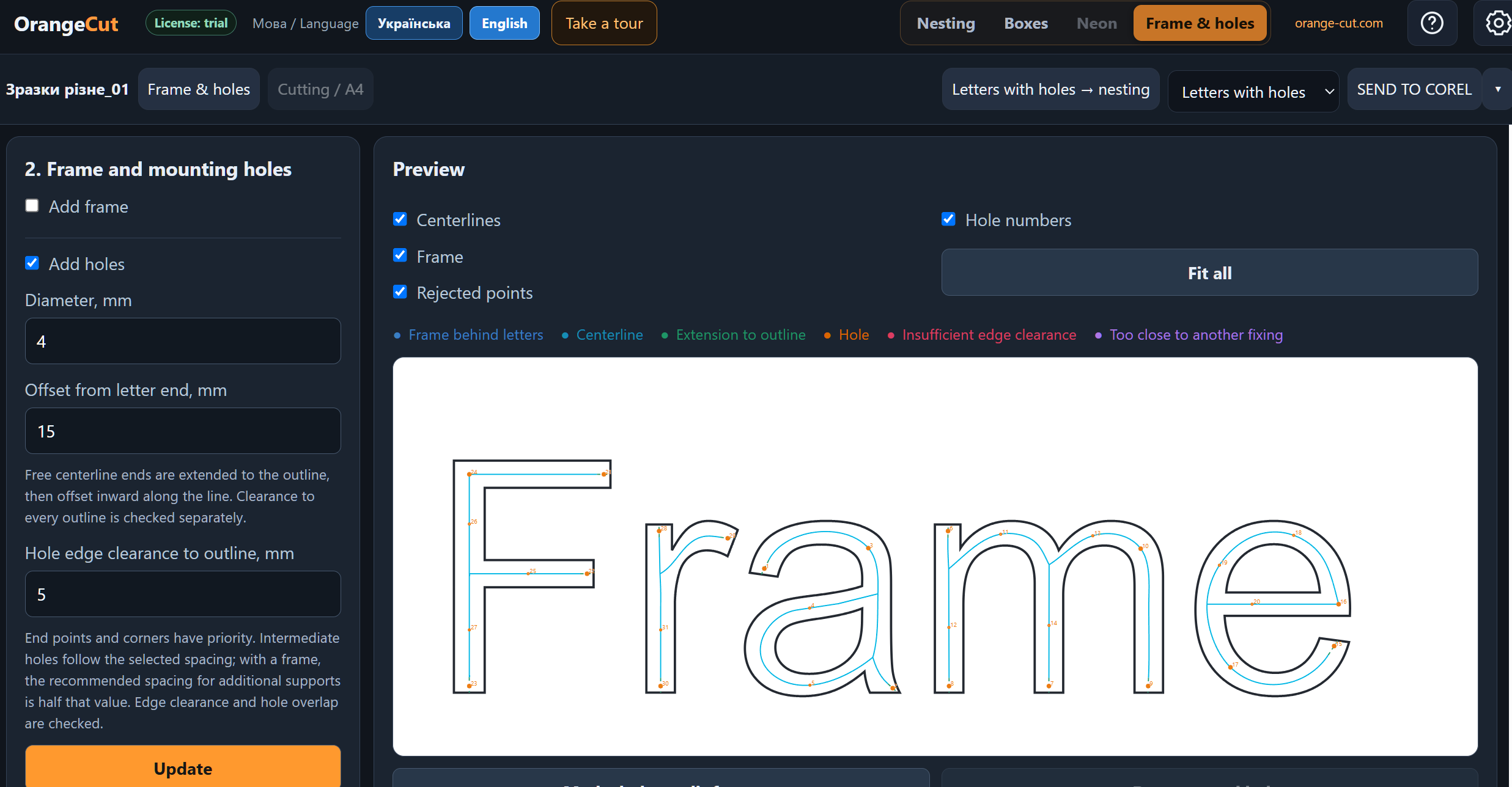
Mounting holes follow the letter centerlines. Set the diameter, offset from letter ends and edge clearance, then review the numbered holes before sending the letters to nesting or CorelDRAW.
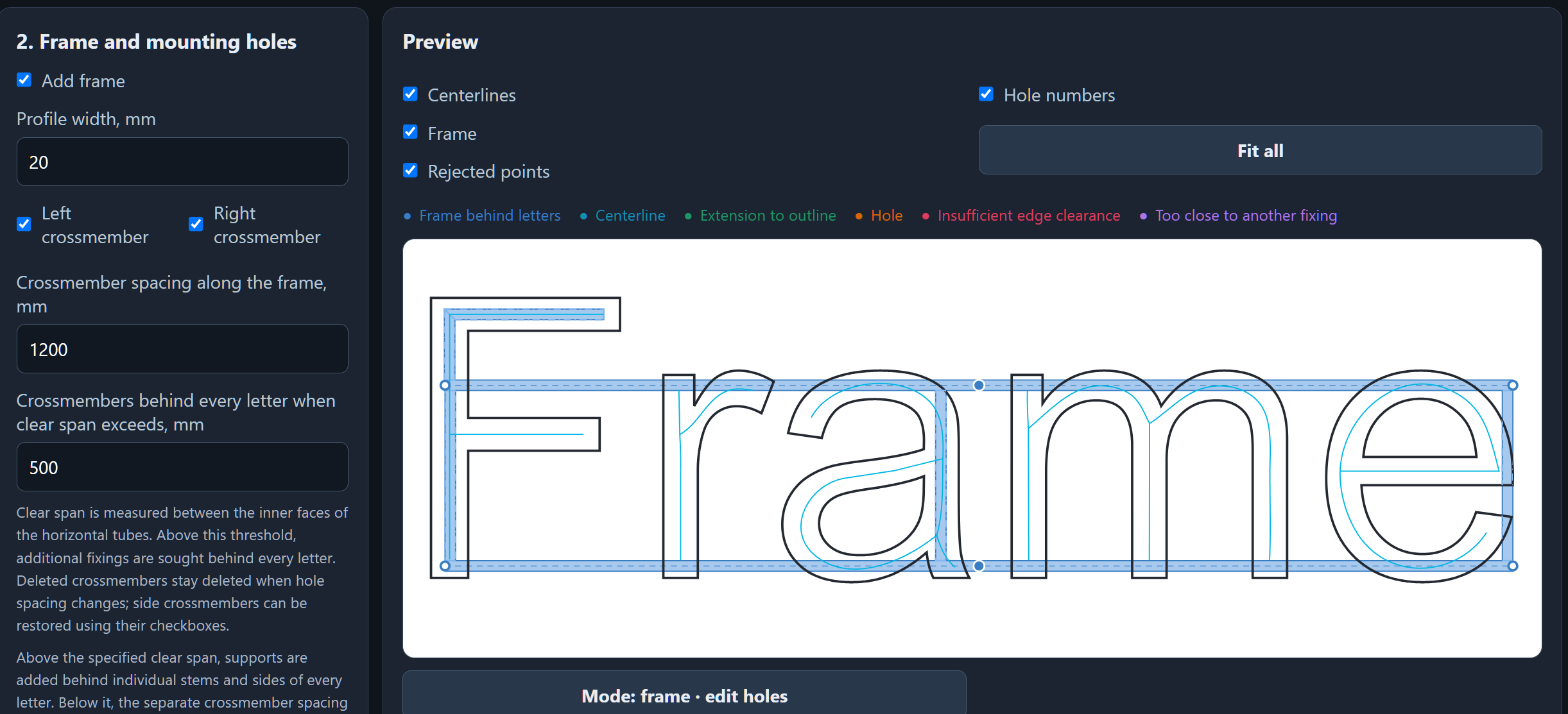
A tube frame behind the letters, with profile width, side crossmembers and intermediate supports. The preview shows frame members in relation to the original letter contours.
Yes. The Frame & holes tab is available in the current Orange Cut release on the download page.
Prepared letters enter nesting as a new source; original contours are preserved.
No. This is geometry and cutting preparation. Profile selection, fixings and structural checks remain part of your production process.