Contours and curve lengths
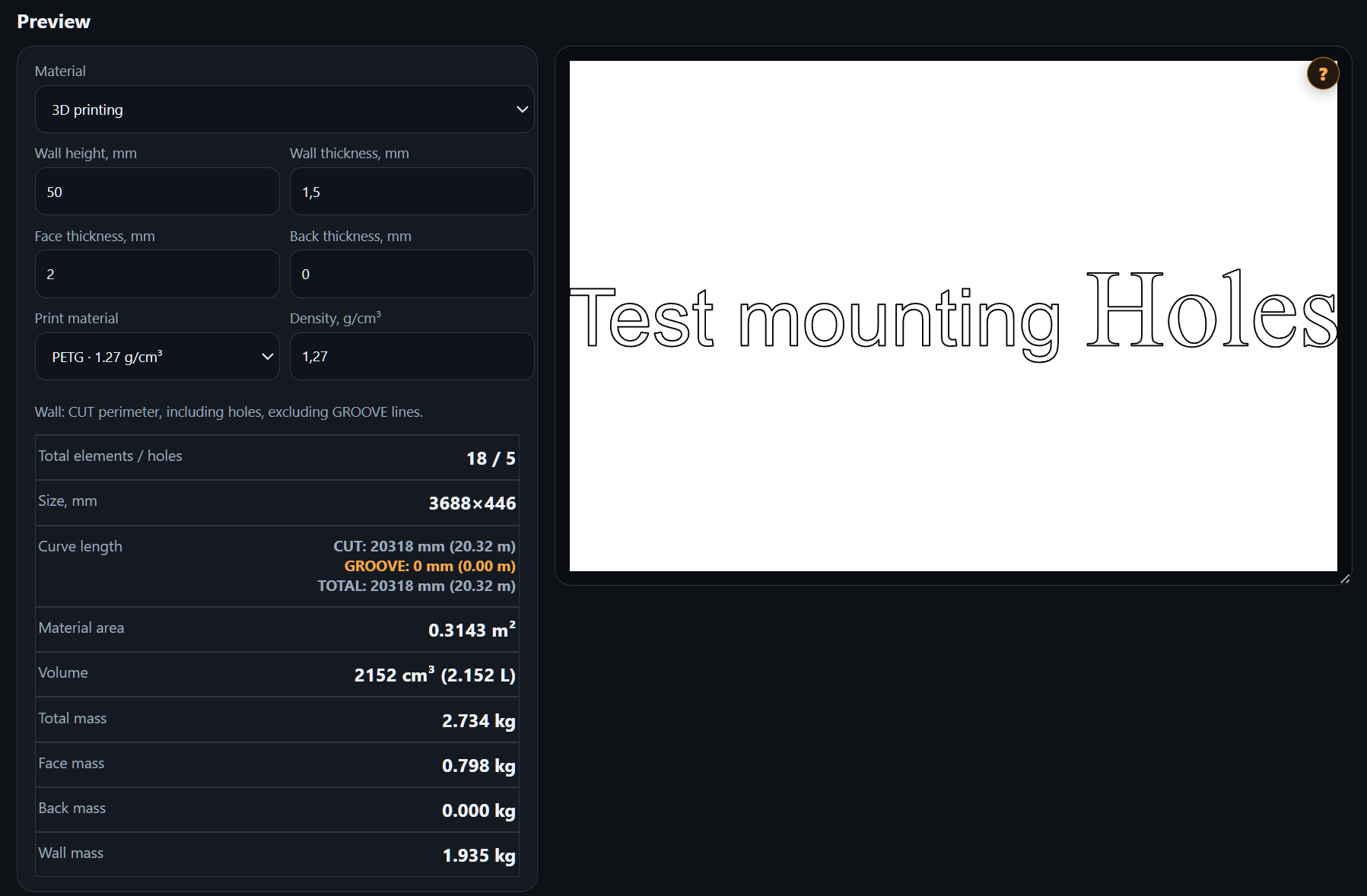
Review your artwork in the preview and see cutting and grooving curve lengths separately, alongside their total. Dimensions and element and hole counts are shown as well.


The expanded preview shows your imported contours, curve lengths and material quantities. For dimensional letters, estimate the 3D printing weight of the complete sign at once, without loading each letter separately into a slicer.
Send letters or parts from CorelDRAW or SVG / DXF and open the preview.
Inspect contours, dimensions, element and hole counts, and curve lengths.
Choose material, thickness and density. For 3D printing, set wall height and thickness, face thickness and back thickness.
Check area, volume and total mass; for 3D printing, also review face, back and wall mass.
Review your artwork in the preview and see cutting and grooving curve lengths separately, alongside their total. Dimensions and element and hole counts are shown as well.
For sheet parts, set material thickness and density. The preview displays the area, volume and estimated mass of the imported artwork.
Choose 3D printing, the print material and wall, face and back dimensions. Estimate the complete lettering weight and its components without importing each letter separately into a slicer.
This example uses a 50 mm wall height, 1.5 mm wall thickness, 2 mm face thickness and 0 mm back thickness. With PETG density set to 1.27 g/cm³, the preview estimates a total lettering mass of 2.734 kg and shows separate face and wall masses.
No. Import the complete vector lettering: the calculation uses its elements and your material parameters.
This is an estimate based on geometry, thicknesses and material density. Actual print consumption also depends on infill, supports and other slicer settings. Check final consumption before printing.
Yes. The 3D printing mode shows total mass and separate face, back and wall masses.